ATS Resume Tips
Free Resume Keyword Scanner: Find Missing Job Keywords
A free resume keyword scanner should answer one practical question:
Does this resume clearly show the requirements of this specific job?
The useful output is not a mysterious percentage. It is a list of accurate matches, missing terms, weak evidence, and edits you can make without inventing qualifications.
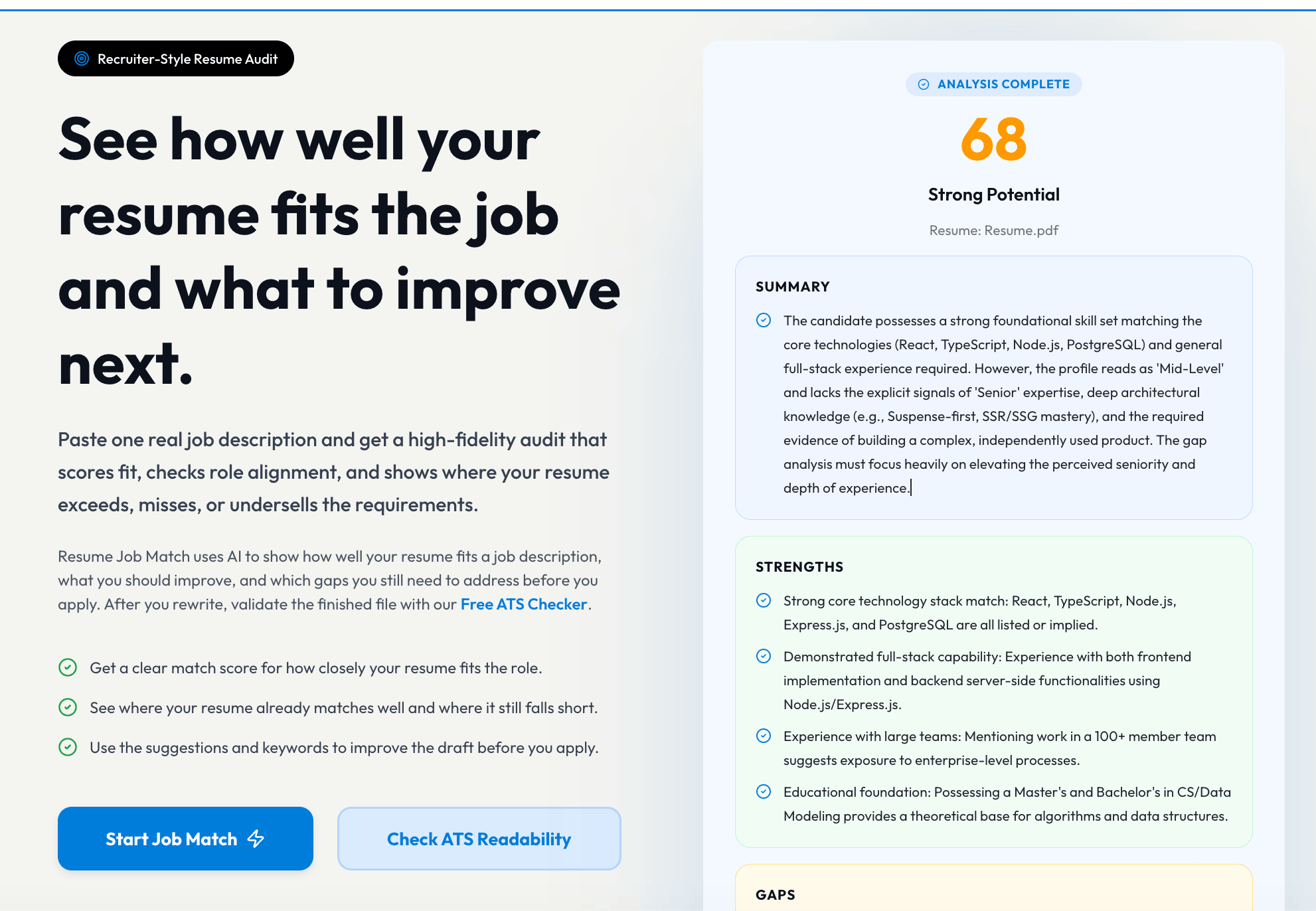
To run that comparison, use Resume Job Match: upload the resume you plan to send, paste the complete job description, and review the job-specific match report.
Free Resume Keyword Scan in Six Steps
- Choose one real job description.
- Upload the resume version you would send today.
- Paste the complete posting, including responsibilities and qualifications.
- Review must-have matches, missing keywords, weak evidence, and gaps.
- Revise only where your real background supports the change.
- Export the final PDF and run an ATS readability check.
That final step matters because keyword relevance and file readability are different problems.
Keyword Scanner vs. ATS Scanner vs. Skills Checker
| Tool | Main question | Input | Useful output |
|---|---|---|---|
| Resume keyword scanner / Job Match | Does the content fit this job? | Resume + job description | Match score, missing terms, requirements, proof gaps |
| ATS scanner | Can hiring software read the file cleanly? | Final PDF | Parsing, section, layout, and formatting warnings |
| Skills checker | Are important skills present and supported? | Resume + target role | Missing, buried, or weakly evidenced skills |
A resume can parse perfectly and still be a poor match. It can contain every keyword and still be unreadable. It can list a skill without showing any proof.
Use the tools in sequence:
Readability → job match → skills proof → final readability check
What a Resume Keyword Scanner Actually Checks
A useful scanner should separate several kinds of terms.
1. Minimum qualifications
Examples:
- active nursing license
- work authorization
- required language proficiency
- professional certification
- minimum experience when the employer treats it as required
- location, schedule, travel, or security-clearance conditions
These are not ordinary keywords. If a qualification is truly mandatory and you do not have it, inserting the phrase will not create eligibility.
2. Core responsibilities
These describe the work the person will perform:
- customer onboarding
- monthly financial close
- API development
- classroom instruction
- inventory planning
- campaign measurement
- vendor management
Core responsibilities should usually appear in experience or project bullets, not only in a skills list.
3. Named tools and systems
Examples:
- Salesforce
- Workday
- Excel
- Python
- Tableau
- Jira
- Epic
- AutoCAD
Use exact product names when they are true. Do not replace one tool with another simply because both are in the same category.
4. Methods, frameworks, and regulations
Examples:
- Agile
- Generally Accepted Accounting Principles (GAAP)
- search engine optimization (SEO)
- root-cause analysis
- instructional design
- infection control
- Hazard Analysis and Critical Control Points (HACCP)
Spell out an important acronym once when space allows, then use the acronym later.
5. Business outcomes
Job descriptions often reveal what success means:
- improve retention
- reduce cost
- increase conversion
- maintain compliance
- shorten delivery time
- improve data quality
- reduce safety risk
Do not copy the desired outcome as if you achieved it. Connect it to a real result or relevant operating experience.
6. Seniority signals
Words such as own, lead, define, mentor, influence, and set strategy indicate scope. They should not be added unless your evidence supports the level of responsibility.
How to Prepare the Job Description for a Better Scan
Paste the full posting when possible. A title alone does not provide enough context.
Include:
- job title
- responsibilities
- required qualifications
- preferred qualifications
- tools and technology
- schedule, location, travel, or license conditions
Remove unrelated page elements such as navigation, cookie notices, benefits boilerplate, equal-opportunity text, and lists of every company value when they do not describe role requirements.
Do not merge multiple jobs into one scan. A resume matched against three different postings produces an artificial target that no employer is actually hiring for.
How to Interpret Missing Keywords
Every missing term belongs in one of four categories.
| Category | Meaning | Action |
|---|---|---|
| True but missing | You have the experience, but the resume does not name it | Add accurate wording and proof |
| Present but buried | The evidence exists too low or under vague language | Move or clarify it |
| Adjacent | You have related experience, not the exact requirement | Name the real skill and explain the bridge |
| Genuine gap | You do not yet have the skill or qualification | Do not add it; decide whether to learn, apply anyway, or target another role |
This classification is more valuable than a raw match percentage.
True but missing example
Job description:
Build dashboards in Tableau for executive stakeholders.
Resume before:
Created reports for management.
Verified reality:
- built Tableau dashboard
- combined CRM and finance data
- presented monthly to sales leadership
Resume after:
Built a Tableau dashboard combining CRM and finance data for monthly sales-leadership reviews of pipeline, conversion, and regional performance.
Present but buried example
If SQL is central to the job but appears once in an old project, move the strongest relevant SQL evidence into the summary, skills section, or recent experience when accurate.
Adjacent skill example
Job asks for Gainsight. Candidate used Salesforce, HubSpot, and a spreadsheet-based account-health process.
Do not write:
Gainsight
Write:
Salesforce, HubSpot, account-health reporting, adoption-risk tracking
Then add a bullet showing the workflow. The employer can decide whether the tool transition is acceptable.
Genuine gap example
Job requires an active CPA license. Candidate has accounting experience but no CPA.
No keyword edit fixes the license gap. Look for roles where CPA is preferred rather than required, or pursue the credential if it fits the career plan.
Where Resume Keywords Should Appear
Target title or headline
Use the target role to orient the reader, but do not alter historical job titles.
Customer Success Manager | B2B SaaS Onboarding & Adoption
Professional summary
Use a small number of high-priority terms with context.
Customer success specialist with 4 years onboarding B2B SaaS customers, tracking product adoption, resolving escalations, and partnering with sales and product teams on renewal-risk accounts.
Skills section
Group tools and methods so the content is scannable.
Customer Success: onboarding, adoption, account health, renewal-risk support
Tools: Salesforce, HubSpot, Zendesk, Excel
Reporting: portfolio reviews, usage analysis, executive summaries
Experience bullets
This is where important keywords become believable.
Managed onboarding for 35 mid-market SaaS customers, using Salesforce and product-usage reports to track activation milestones and flag adoption risks for customer success managers.
Projects and education
For students and career changers, projects, coursework, certifications, and volunteering can provide legitimate evidence.
Keyword Density: There Is No Universal Target
There is no credible rule that a resume must contain a keyword a specific number of times.
One exact mention may be enough for a named certification. A core skill may appear naturally in the summary, skills, and one or two bullets because it genuinely shapes the work. Repeating the same phrase in every section does not create deeper experience.
Use this test:
- Is the exact tool or credential named at least once?
- Is the underlying work demonstrated?
- Is the term easy to find?
- Does the resume still sound natural?
- Can you explain the claim in an interview?
Match Score vs. Employer ATS Score
A scanner's match score is an editorial or product-specific comparison. It is not access to an employer's private system.
Workday explains that ATS software can parse education, skills, and work history into structured profiles and may support search, filters, matching, or ranking. Greenhouse and Lever document resume parsing behavior and failure conditions. Employers can configure different questions, workflows, integrations, and review practices.
Therefore:
- a 90% third-party match does not guarantee an interview
- a 60% score does not prove automatic rejection
- the same resume can produce different scores in different tools
- minimum application questions may matter more than keyword overlap
- recruiter judgment and applicant volume remain important
Use the score to prioritize edits, not predict a hiring outcome.
For the technical distinction, see ATS Resume Optimization: Formatting, Keywords & Scores.
A Transparent Keyword Match Self-Audit
If you prefer a manual review, score these categories.
| Category | Points | Full-credit standard |
|---|---|---|
| Minimum conditions | 20 | Every true requirement is visible and application answers are consistent |
| Core responsibility coverage | 25 | Top responsibilities connect to recent evidence |
| Tools and methods | 20 | Important named skills are accurate and supported |
| Outcomes and context | 20 | Bullets show scope, purpose, or results |
| Placement and readability | 10 | Important terms are easy to find without repetition |
| Integrity | 5 | Every claim is defensible and no hidden keywords are used |
This is a revision framework, not an employer cutoff.
Common Resume Keyword Scanner Mistakes
Scanning a generic resume
A keyword scanner is most useful when the resume already targets a role family. A one-size-fits-all document will produce a long list of predictable gaps.
Adding every missing term
Some missing terms describe qualifications you do not have. Leave them as gaps.
Matching only the skills list
The skills section helps scanning. Experience bullets prove the skills.
Copying the job description
Shared terminology is useful. Copied sentences without evidence are not.
Using hidden white text
Hidden keywords create content a recruiter cannot see, can damage extracted text, and undermine trust.
Chasing a score after the resume is already strong
Past a certain point, score chasing can make writing repetitive or unnatural. Stop when the resume is accurate, specific, easy to read, and aligned with the job's real priorities.
Ignoring application questions
Work authorization, license, location, schedule, salary, travel, and required-experience questions can affect the process independently of the resume.
Complete Free Keyword Scan Workflow
Before the scan
- choose one serious target job
- update the resume with current facts
- use a readable file
- keep a master copy before editing
During the scan
- separate matches, bridges, and gaps
- identify true-but-missing terms
- note skills that appear without proof
- prioritize must-haves and repeated responsibilities
After the scan
- rewrite the summary around the role
- reorder skills by relevance
- strengthen the most relevant bullets
- add project or education evidence where appropriate
- preserve stable facts such as dates, titles, and credentials
Before submission
- save the job-specific version
- archive the job description
- export the final PDF
- run the PDF through the free ATS scanner
- verify any application fields populated from the resume
For the full editing system, use How to Tailor a Resume to a Job Description With AI.
Frequently Asked Questions
What is a resume keyword scanner?
A resume keyword scanner compares resume content with a target job description and identifies important terms, requirements, tools, or skills that are missing, weakly supported, or difficult to find.
Is there a free resume keyword scanner?
Yes. Resume Job Match lets you upload a resume, paste a job description, and review a job-specific match score, priority keywords, strengths, gaps, and revision guidance.
Is a keyword match score the same as an ATS score?
No. A keyword match score is a tool-specific comparison with one job description. An employer's recruiting workflow can use different parsers, questions, filters, searches, ranking features, and human review.
Should I add every missing keyword to my resume?
No. Add a term only when it accurately describes your experience, education, project, credential, or developing skill. A genuine gap cannot be repaired by inserting the word.
Where should resume keywords appear?
Place important keywords where they are useful: target title and summary for orientation, skills for scanning, and experience or project bullets for proof. Avoid repetitive or hidden keyword blocks.
How often should I scan my resume?
Scan the application version after tailoring it to the job. If you make major content or layout changes, check it again and run the final exported PDF through an ATS readability scan.